
Remember when you could just shout a question across the room and get an immediate answer? That was the beauty of being a small team. But as your business grows, that simplicity fades. Emails pile up, files get lost in the void, and you suddenly realize you have no idea what the marketing team is actually working on this week. This is the exact moment where the right collaboration tools stop being a “nice-to-have” and become the engine that keeps your company running. In this guide, you will discover the software that can help you regain that speed and clarity, no matter how fast you are scaling.
TL;DR
-
Definition: Collaboration tools are virtual workspaces (like Slack or Asana) designed to reduce friction and centralize information, replacing scattered emails and physical sticky notes.
-
Top Picks: The best tools for 2026 include Asana and Monday.com for project management, Slack for communication, and Notion for documentation.
-
Implementation Strategy: Avoid “tool fatigue” by starting with a core stack (one chat app + one task manager) before adding specialized visual tools like Miro or Figma.
-
Upgrade Triggers: Growing businesses should upgrade from free plans when they need to automate repetitive workflows, access long-term historical data, or manage complex permissions.
-
Best Practices: To ensure adoption, leadership must model usage and establish a communication culture that allows for “deep work” by minimizing notification overload.
What are Collaboration Tools?
At their core, collaboration tools are digital workspaces that help teams work together, regardless of where they are physically located. Think of them as your virtual office building. Instead of walking into a conference room, you log into a video call. Instead of sticking a post-it note on a colleague’s monitor, you tag them in a project board.
These tools cover everything from simple instant messaging to complex project management. For a growing business, they serve one primary purpose: to reduce friction. They ensure that information flows tailored to the right people at the right time, preventing the bottlenecks that usually slow down expanding companies.
Top Team Collaboration Tools Summary Table
Here is a quick snapshot of the best tools available in 2026 to help you navigate your options.
| Tool | Best For | Primary Category | Price Model |
| Asana | Managing complex projects | Project Management | Freemium / Per User |
| Monday.com | Custom workflows & Ops | Project Management | Per User |
| ClickUp | Value & Versatility | Project Management | Freemium / Per User |
| Trello | Visual simplicity | Project Management | Freemium / Per User |
| Slack | Day-to-day communication | Communication | Freemium / Per User |
| Microsoft Teams | Corporate environments | Communication | Bundled (M365) |
| Zoom | Reliable video conferencing | Communication | Freemium / Per User |
| Loom | Screen recording updates | Communication | Freemium / Per User |
| Notion | Company wikis & notes | Documentation | Freemium / Per User |
| Google Workspace | Live document editing | Documentation | Per User |
| Miro | Brainstorming ideas | Visual Collaboration | Freemium / Per User |
| Figma | Design prototyping | Visual Collaboration | Freemium / Per User |
Top 12 Team Collaboration Tools for Growing Business by Category
Choosing software can be overwhelming because there are so many options. To make this easier, I have categorized the top 12 collaboration tools by the specific problem they solve.
Project & Task Management
These are your “source of truth” for deadlines and responsibilities.
1. Asana

Asana is a heavy hitter in the world of project management tools. It uses a “Work Graph” model that connects tasks to larger projects and goals, making it easy to see how individual efforts contribute to the company’s success. For growing businesses, its “Portfolios” feature is a lifesaver, as it allows leadership to see the status of multiple projects in one high-level view.
- Key Features:
- Multiple views: List, Board, Timeline (Gantt), and Calendar.
- Workflow Builder: Automate routine tasks and handoffs.
- Workload Management: View team capacity to prevent burnout.
- Strategic Goals: Connect daily tasks to high-level business objectives.
- Pros: Highly flexible; excellent for managing complex dependencies; robust integration library.
- Cons: The “Advanced” features carry a premium price tag; they can feel overly complex for very simple tasks.
2. Monday.com

This platform is less of a rigid tool and more of a flexible Work OS. It uses a highly visual, building-block approach that allows you to customize every single column in your boards. Its automation engine is one of the most intuitive on the market, allowing you to set up rules without writing a single line of code.
- Key Features:
- Customizable Columns: Over 30 different column types (Status, Date, People, etc.).
- No-code Automations: Set up “If this happens, do that” triggers easily.
- Dashboards: Real-time data visualization across multiple boards.
- Forms: Collect data from external users directly into your boards.
- Pros: Extremely visual and intuitive; highly customizable for non-technical users; great mobile app.
- Cons: Pricing is based on “seats,” meaning you pay for bundles of users; some advanced reporting is locked behind higher tiers.
3. ClickUp
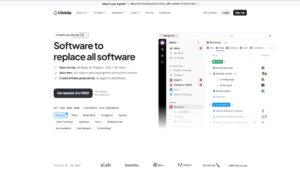
If you are looking for team productivity software that does everything, ClickUp is the answer. It is designed to replace multiple apps by combining tasks, docs, chat, and goals in one place. It offers an incredible amount of customization, which is great for specialized teams like software developers or product managers.
- Key Features:
- Everything View: See every task across the entire company in one place.
- Custom Task Statuses: Create unique workflows for different teams.
- Built-in Docs & Whiteboards: Collaborate on content within the task manager.
- Native Time Tracking: Track hours directly on tasks without third-party apps.
- Pros: Incredible value for money; features are updated very frequently; reduces the need for multiple subscriptions.
- Cons: The high volume of features creates a steep learning curve; the interface can sometimes feel “busy” or cluttered.
This shift toward “all-in-one” workspaces is closely aligned with the rise of autonomous AI agents that can manage tasks, workflows, and operations with minimal human input.
👉 Explore: Top Enterprise Use Cases for Agentic AI
4. Trello

Trello is the ultimate choice for teams that want simplicity and visual clarity. It uses a Kanban board system where you move “cards” across different “lists” to show progress. It is very easy to pick up, meaning you won’t have to spend weeks training new hires.
- Key Features:
- Drag-and-Drop Cards: Intuitive task movement across workflow stages.
- Butler Automation: Built-in bot to handle repetitive card movements and clicks.
- Power-Ups: Add functionality like Google Drive, Slack, or Calendar views.
- Checklists: Add sub-tasks and progress bars to individual cards.
- Pros: Zero training time required; excellent free tier; perfect for linear processes.
- Cons: Not ideal for massive, complex projects with many dependencies; reporting features are very basic.
Team Communication
These tools replace endless email chains and allow for real-time problem-solving.
5. Slack
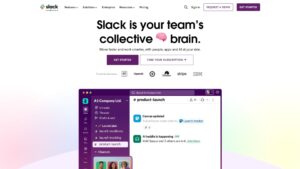
Slack has transformed how modern offices talk. Instead of one giant inbox, you use “Channels” to keep conversations focused on specific topics. It excels at being a central hub for all your other software; notifications from your project management or HR tools can be funneled directly into Slack.
- Key Features:
- Channels & DMs: Organized threads for projects or private chats.
- Slack Huddles: Instant audio/video rooms for quick brainstorming.
- Workflow Builder: Create custom bots and automated alerts.
- Slack Connect: Securely collaborate with external partners and clients.
- Pros: Searchable history is a goldmine for information; massive app directory; fun user experience.
- Cons: Can be a major distraction if notifications aren’t managed; free version has limits on message history.
6. Microsoft Teams

For businesses already using the Microsoft 365 suite, Teams is often the most logical choice. It is a robust cloud-based collaboration hub that brings chat, video conferencing, and file storage into one window. Because it integrates deeply with Word, Excel, and PowerPoint, your team can co-edit documents without ever leaving the app.
- Key Features:
- Native Office 365 Integration: Seamlessly open and edit Excel/Word files.
- Large Scale Meetings: Support for webinars with up to 10,000 attendees.
- SharePoint Integration: Advanced file management and security.
- Tab System: Add project boards or websites directly into your chat channels.
- Pros: Included in most Microsoft subscriptions; high-level security for regulated industries.
- Cons: The interface can be clunky and heavy on system resources; setup is more complex for IT admins.
7. Zoom

While many apps have video features, Zoom remains a leader because of its pure reliability. It is built to handle video calls with hundreds of participants without crashing. For a growing company, having a dedicated, professional video tool is critical for building trust during client pitches and vendor negotiations.
- Key Features:
- HD Video & Audio: Consistent quality even on unstable connections.
- Breakout Rooms: Split large meetings into smaller discussion groups.
- Zoom AI Companion: Automatic meeting summaries and action item lists.
- Waiting Rooms: Enhanced security to control who enters your meetings.
- Pros: Extremely reliable; everyone already knows how to use it; excellent mobile performance.
- Cons: Free version has a 40-minute limit on group calls; requires a separate subscription from your chat app.
8. Loom

Loom specializes in asynchronous video, which is a fancy way of saying you can record a quick video of your screen and face to send to someone later. It is perfect for giving feedback on a design or providing a project update without calling a meeting.
- Key Features:
- Instant Sharing: Videos are uploaded as you record and ready to share via link immediately.
- Interactive Comments: Viewers can leave comments at specific moments in the video.
- Loom AI: Automatically generates titles, summaries, and chapters.
- Engagement Insights: See exactly who watched your video and for how long.
- Pros: Eliminates “meeting fatigue”; humanizes remote communication; easy to train people via screen recordings.
- Cons: The free plan has limits on video length; organization can get messy if folders aren’t used.
Documentation & Knowledge Sharing
As you grow, “tribal knowledge” becomes a risk. These tools help you write it down.
9. Notion

Notion is a versatile workspace that functions like a “LEGO” set for your company’s information. You can build wikis, document your core processes, or create shared notes that everyone can access.
- Key Features:
- Block-based Editing: Drag and drop text, images, and databases anywhere.
- Database Views: View the same data as a list, gallery, board, or table.
- Synced Blocks: Update a piece of info in one place and have it update everywhere.
- Templates: Massive community library for every business need imaginable.
- Pros: Replaces several different tools (Wiki, Docs, Notes); beautiful and modern design.
- Cons: Can be overwhelming to set up from scratch; performance can slow down with massive databases.
10. Google Workspace

Google Workspace is the gold standard for real-time document collaboration. Apps like Google Docs, Sheets, and Slides allow multiple people to work on the same file at once, with every change saved automatically in the cloud.
- Key Features:
- Real-time Co-editing: See teammate cursors and edits as they happen.
- Version History: Easily revert to any previous version of a file.
- Google Drive: Secure, searchable cloud storage for the entire team.
- Shared Calendars: Manage team schedules and resource bookings.
- Pros: Industry standard for speed and ease of use; virtually no learning curve; device agnostic.
- Cons: Lacks the advanced formatting and “power user” features of Microsoft Excel or Word.
Visual Collaboration
Essential for brainstorming, design, and product teams.
11. Miro

Miro is an infinite digital whiteboard that allows remote teams to brainstorm as if they were in the same room. It replicates the energy of standing around a physical whiteboard with digital sticky notes.
- Key Features:
- Infinite Canvas: Never run out of space for your ideas.
- Extensive Template Library: Ready-made frameworks for mind maps and agile flows.
- Presentation Mode: Turn parts of your board into slides for meetings.
- Real-time Cursors: See where everyone is on the board in real-time.
- Pros: Best-in-class for creative collaboration; works smoothly with hundreds of participants.
- Cons: Can be difficult to export data into more structured formats like spreadsheets.
12. Figma

Figma revolutionized design by making it multiplayer. It allows designers to build prototypes while developers and product managers leave comments directly on the design file in real-time.
- Key Features:
- Live Prototyping: Create clickable “apps” to test user flows.
- Design Systems: Maintain brand consistency across all projects.
- Dev Mode: Give developers the exact specs and code they need to build.
- Auto Layout: Designs that automatically resize as content changes.
- Pros: Replaces the need to email design files; perfect for developer handoffs; works in the browser.
- Cons: Requires a decent amount of RAM/computer power; can be complex for non-designers to navigate.
Why Collaboration Tools Are Essential for Modern Growing Businesses
You might be thinking, “Can’t we just stick to email?” You can, but it will eventually hurt your bottom line. Investing in the right collaboration tools provides a competitive advantage.
First, they enable remote and hybrid work. Top talent is not always located within 20 miles of your office. These tools allow you to hire the best person for the job, whether they live in New York or Nairobi, and integrate them into your workflow seamlessly.
Second, they create transparency. In a growing business, it is easy for management to lose sight of what is happening on the ground. These tools provide a dashboard view of progress, helping you spot delays before they become disasters.
Finally, they increase speed to market. When communication is instant and documents are centralized, decisions happen faster. You spend less time searching for files and more time executing on your strategy.
Many fast-growing companies are now combining collaboration tools with AI agents to accelerate decision-making and execution. If you’re unsure how this differs from traditional AI tools, this guide breaks it down clearly:
👉 Read: Generative AI vs Agentic AI: All You Need to Know
Common Challenges Growing Businesses Face in Implementing Collaboration Tools & Solutions
Adopting new software is rarely smooth sailing. Here are the hurdles you will likely face and how to overcome them.
1. Tool Fatigue
If you introduce five new apps at once, your team will revolt. They will feel overwhelmed by the constant switching between tabs.
- Solution: Start with a “core stack” (e.g., just Slack and Asana). Only add specialized tools like Miro or Loom once the core habits are established.
This is also why many businesses are now turning to AI-powered automation instead of stacking too many tools. Understanding upcoming AI workplace trends can help you avoid tool overload.
👉 Recommended Reading: Top 10 AI Trends in 2026 Every Business Leader Should Know
2. Notification Overload
Instant messaging can become a distraction machine. If employees are getting pinged every 30 seconds, they cannot do deep work.
- Solution: Establish a “communication culture.” Encourage team members to pause notifications during deep work blocks and agree that it is okay not to reply instantly.
3. Low Adoption Rates
You buy the software, but nobody uses it. People naturally resist change and drift back to their old habits of using spreadsheets or sticky notes.
- Solution: Identify “champions” within your team. Find the people who are excited about the new tool and have them train their peers. Also, lead by example; if the CEO is not using the tool, nobody else will.
Frequently Asked Questions (FAQ)
1. Should I choose an “All-in-One” tool like ClickUp or separate “Best-in-Class” apps?
This is the classic debate. An all-in-one tool is often cheaper and easier to manage because everything is in one place. However, specialized tools usually offer deeper features and a better user experience for specific tasks. For most growing businesses, a hybrid approach works best: use a dedicated communication tool (Slack) and a dedicated project tool (Asana), but integrate them so they talk to each other.
2. How do I get my team to actually use the new software?
Adoption fails when you don’t explain the “why.” Don’t just tell your team to use a new tool; show them how it saves them time. For example, show them how using Asana eliminates the need for that dreaded Monday morning status meeting. Also, cut off the old way of working. If someone sends an email update that should be in the project management tool, gently reply, “Can you please post this in the task so everyone can see it?”
3. When should I upgrade from the free version of these tools?
You should upgrade when you need to automate workflows or access historical data. Most free plans limit how far back you can search messages or how many “automations” you can run per month. If your team is spending hours manually moving data between lists, the paid version will pay for itself in saved labor costs almost immediately.
4. How do I stop these tools from becoming a distraction?
Tools like Slack can become noisy. The secret is to use “async” communication. Encourage your team to turn off notifications for non-urgent channels and use “Do Not Disturb” modes liberally. Make it a company policy that it is okay to wait a few hours to respond to a message unless it is marked “Urgent.”
5. Is my company’s data secure on these cloud platforms?
Generally, yes. Major platforms like Microsoft Teams, Slack, and Google Workspace invest billions in security—far more than any small business could afford on their own. However, security is a shared responsibility. You must ensure you enforce strong passwords and Two-Factor Authentication (2FA) for all your employees to prevent unauthorized access.
Building a Scalable Foundation for Team Success
Scaling a company is a messy process, but it does not have to be a chaotic one. The transition from a small group to a larger organization requires a shift in how you share information and track goals. By choosing the right collaboration tools, you are doing more than just buying software; you are building a digital infrastructure that supports your team’s culture and work ethic. Whether you start with a simple task board or a complex work management system, the goal is to create an environment where everyone knows their role and has the resources to succeed.
Do not feel pressured to have the “perfect” setup on day one. Most successful businesses start with a few basic tools and gradually add more specialized ones as their needs become more complex. Take a look at your current workflow and identify where the most friction exists today. Is it in your meetings? Your project tracking? Your document storage? Address that one area first, master the tool, and then keep building. With the right systems in place, your team will be ready to tackle any challenge that comes with your company’s growth.